Lightroom Alternative
Tired of Paying Monthly? Best Free Lightroom Alternatives (And More)


Vasundhara Mukherjee
TL;DR
Photon is the best fit for beginners and hobbyists who want a free, approachable RAW editor that teaches them as they edit through its AI Coach.
Darktable is a strong free option if you want powerful editing and don't mind a learning curve.
RAW Therapee is another capable free choice for photographers who want detailed RAW processing.
OM Workspace is worth considering if you shoot with an OM System or Olympus camera.
Luminar Neo is a good option if you want a more modern, beginner-friendly editing experience and the option to buy a perpetual license.
ON1 Photo RAW is one of the closest alternatives to Lightroom's workflow without requiring a subscription.
Capture One Pro is best for professional photographers who need advanced colour control and studio features and want the option of a perpetual license.
Adobe's subscription model has pushed a lot of photographers to look elsewhere, and honestly, I get it.
Some people just do not want to keep paying monthly for software they use on and off. Others want something that feels easier to live with day to day, without having to learn a complicated editing system before they can make a decent edit.
So let's look at the options that make sense. I've included a few genuinely free Lightroom alternatives, as well as several options that let you avoid a recurring subscription, and Photon as the beginner-friendly option built for Aftershoot's next wave of users: hobbyists and new photographers who want something approachable from the very beginning.
What Makes a Good Free Lightroom Alternative?
A good Lightroom alternative should do three things well:
Edit RAW files properly
Keep organisation manageable
Not make the whole process feel like a chore
If the interface is clunky or the software makes simple things feel weirdly difficult, it stops being useful very quickly.
For me, the real questions are:
Can I get a good result without wrestling with the app?
Does it make sense quickly, or do I need to study it first?
Will I still want to use it after the novelty wears off?
That is the difference between a real Lightroom alternative and a software demo that looks good for five minutes.
The Best Beginner-Friendly Free Lightroom Alternative
Photon
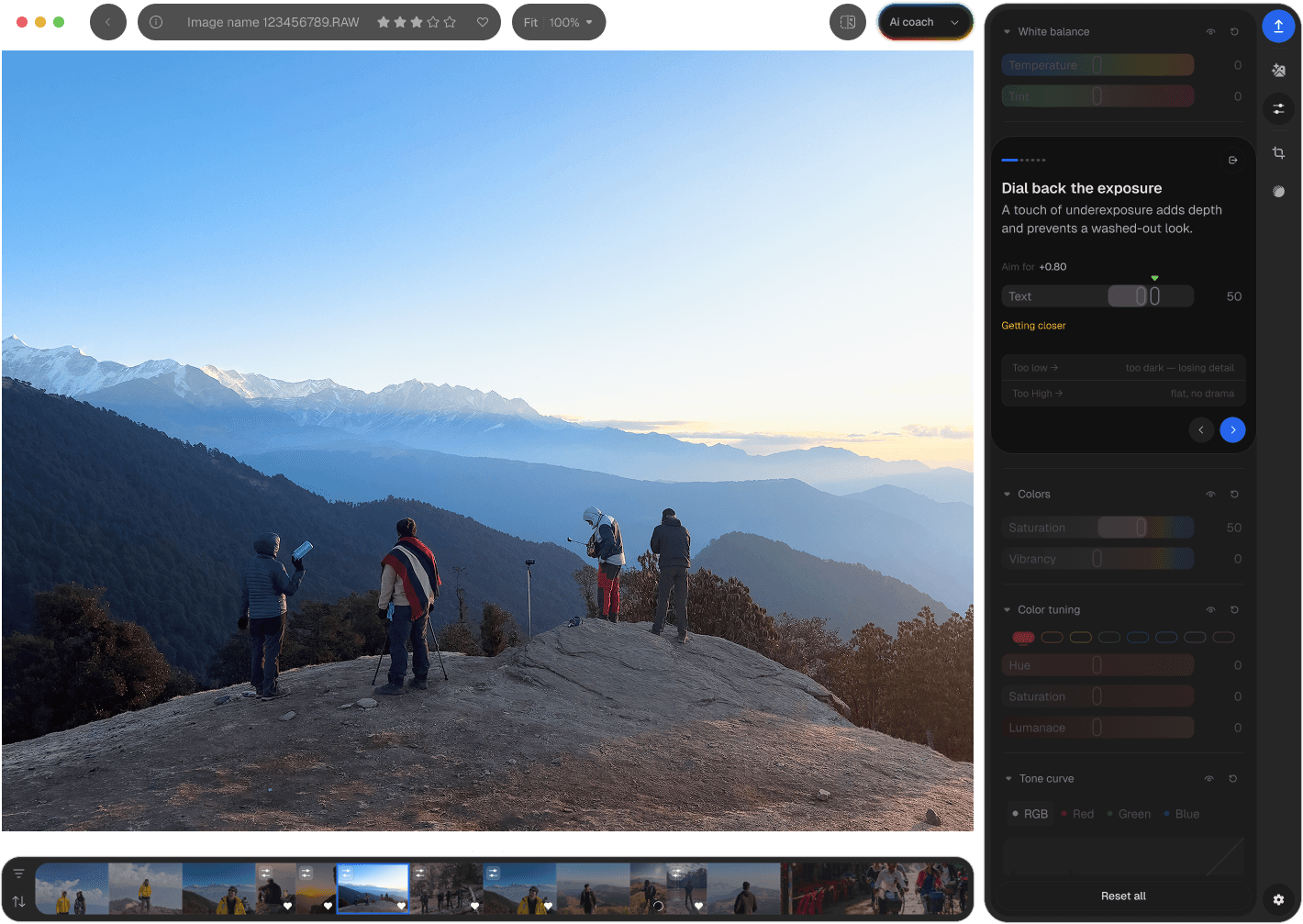
Photon is free, and it's built for beginners and hobbyists who want a RAW editor that feels approachable without feeling limited. Instead of assuming you already know how to edit, it helps you build confidence as you go.
What makes Photon different is its AI Coach. Rather than automatically changing your photo or applying a generic AI look, Photon explains why an edit works. It guides you through the editing process in plain language, helping you understand your own photographs instead of asking you to copy someone else's workflow.
That approach feels refreshing in a category where many AI tools promise one-click edits. Photon isn't trying to edit for you. It's designed to help you become a better editor while keeping you in control of every creative decision.
It also removes many of the frustrations that push people away from traditional editing software. It's free to use, with no subscription, no trial expiry, and no watermark, and it's available for both Mac and Windows. Core editing happens locally on your machine, so you can continue editing even without an internet connection.
If you've ever opened Lightroom and felt like you were learning an entirely new profession just to edit a photo, Photon offers a much gentler place to start without sacrificing the RAW editing tools you'll grow into over time.
Best for: Beginners and hobbyists who want a free RAW editor that's intuitive, teaches them as they edit, and grows with their skills instead of overwhelming them on day one.
3 Of The Best Free Lightroom Alternatives
These are the "cost nothing" picks. They are genuine free Lightroom alternatives, but they are not always the friendliest place to land if you are coming from Lightroom.
1. Darktable
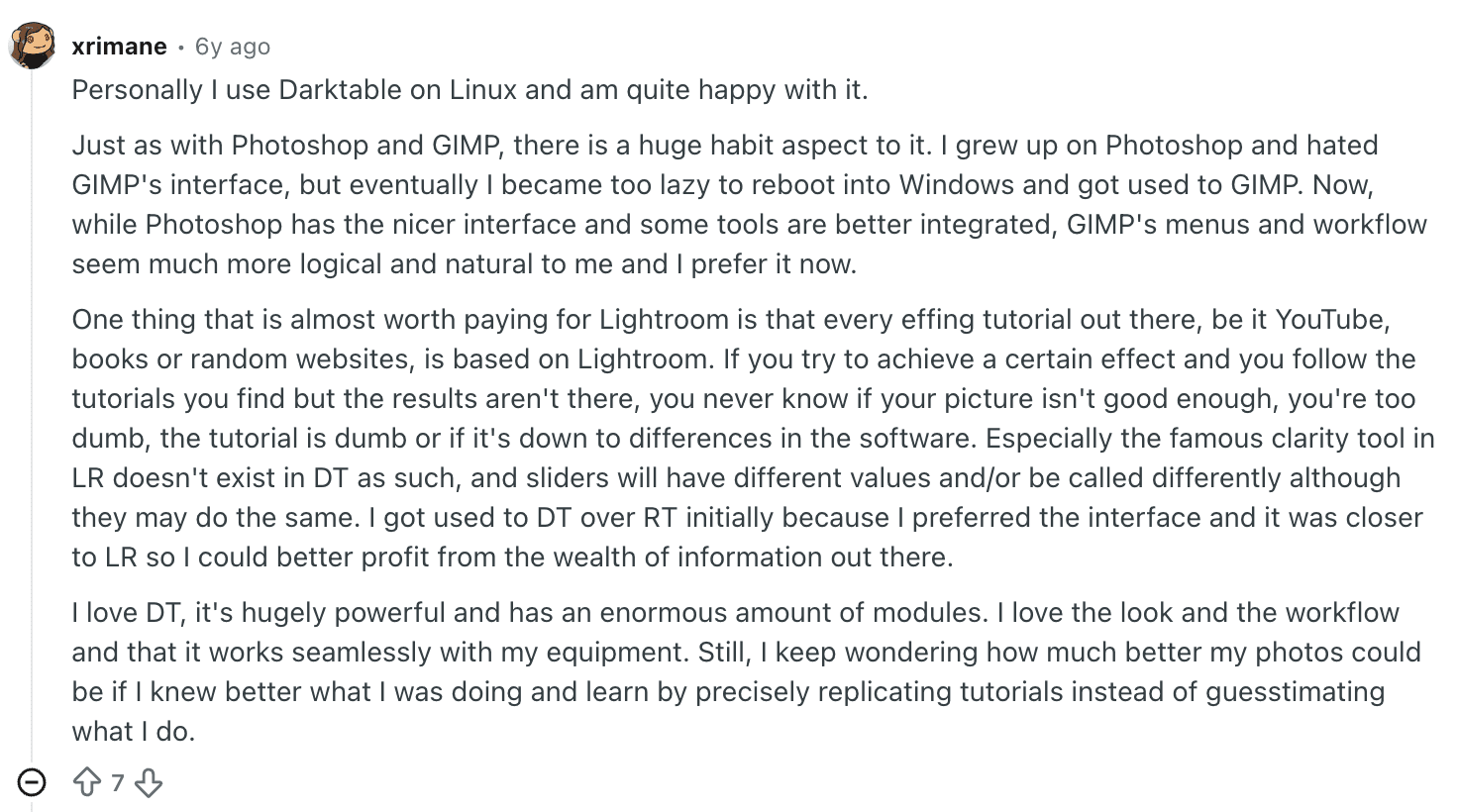
Darktable is free, open source, and very powerful. It is the sort of app that proves "free" does not automatically mean basic.
The trade-off is that it can feel overwhelming at first. If you are used to Lightroom, Darktable may feel like someone handed you a control panel and said good luck. Still, it has a library system, good editing depth, and plenty of tutorials online if you are willing to put in some time.
Best for: Users who want a serious free editor and do not mind a learning curve.
2. RAW Therapee
RAW Therapee is another strong free option. It takes some patience to learn, but it gives you plenty of control over how your RAW files are processed.
It supports LUTs, batch processing, noise reduction, spot healing, and a wide range of RAW development controls. It is not the most intuitive thing in the world, but it is definitely capable.
Best for: Photographers who want a free editor with good depth and detailed RAW processing.
3. OM Workspace
This one is really for OM System and Olympus camera owners, but if that's you, it's worth a look. It is entirely free and is designed specifically around OM System and Olympus cameras.
There is a development workflow, catalogue functionality, and AI-powered noise reduction. The downside is that it is more specialised than Lightroom, so it makes less sense if you shoot with cameras from several manufacturers.
Best for: OM System and Olympus users who want a free tool made for their own files.
Lightroom Alternatives Without a Subscription
This is where things get more interesting. If you are sick of subscriptions but still want software that feels more polished than freeware, there are several options that let you buy a license outright instead of paying every month.
1. Capture One Pro
Capture One Pro is a professional-grade editor with strong colour tools, RAW processing, file management, and tethered shooting features. It is serious software for serious workflows.
The important thing for this article is that Capture One Pro offers both subscription and perpetual-license options. The perpetual version is a one-time purchase for the version you buy, making it an option if your main reason for leaving Lightroom is the recurring subscription.
The trade-off is that a perpetual license doesn't automatically include every future major version. If you want the latest version and ongoing updates, you'll need to consider Capture One's subscription options.
It is also probably more software than a casual photographer needs. But if you shoot professionally and care about colour control and tethered shooting, that's not necessarily a bad thing.
Best for: Professional photographers and studio users who want advanced colour control and the option to buy a perpetual license.
2. Luminar Neo
Luminar Neo is a lot friendlier than Capture One. It is modern, feature-rich, and much easier to get into quickly.
Its AI-powered tools are designed to simplify tasks that can take more manual work in traditional editors, which makes it particularly appealing if you don't want to spend hours learning a complicated interface.
If subscriptions are your main frustration, Luminar Neo is worth considering because it offers perpetual-license options as well as subscription plans. A perpetual license lets you use the version you've purchased without requiring an ongoing subscription, although future major upgrades and certain additional features may have separate terms.
Best for: Beginners and hobbyists who want a more approachable alternative to Lightroom without being tied to a monthly subscription.
3. ON1 Photo RAW
ON1 Photo RAW is probably the closest thing here to a true Lightroom-style alternative. It combines photo organisation, RAW editing, retouching, layers, and masking in one application.
It also offers a perpetual license, so you can buy the software outright rather than relying on a subscription. The perpetual license covers the version you purchase and its included updates, while future major versions may require another purchase.
It does a lot without making the whole interface feel impossibly crowded. I would not call it flashy, but I would definitely call it practical. If Lightroom feels familiar but expensive, ON1 is one of the first places I would look.
Best for: People who want the closest experience to Lightroom without a required subscription.
The Bottom Line
There is no shortage of Lightroom alternatives anymore, and that is a good thing.
Free tools have become much more capable, subscription-free options give photographers another way to pay for software, and beginner-first products like Photon make the whole category feel less intimidating.
Lightroom is still the default for a reason, but it is not the only serious option.
If you want to spend nothing, Photon, Darktable, RAW Therapee, and OM Workspace are worth exploring.
If you're specifically tired of subscriptions, Capture One Pro, Luminar Neo, and ON1 Photo RAW give you options that don't require an ongoing monthly payment.
The important thing is not to choose an alternative simply because someone calls it the "best Lightroom alternative."
Choose the one that fits your photography and the way you actually want to work. You can be among the first to try Photon by Aftershoot if you want a free and zero subscription alternative to Lightoom.
Frequently Asked Questions For Best Free Lightroom Alternatives
1. What is the best free Lightroom alternative?
It depends on what you want. If you're comfortable with a steeper learning curve, Darktable and RAW Therapee are powerful and capable. If you'd rather skip the struggle and start editing right away, Photon is the most approachable free option — especially if you're newer to this.
2. Is Photon a Lightroom alternative?
Yes, Photon is positioned as a beginner-friendly alternative for hobbyists and new photographers who want a simpler editing experience.
3. Can free software really replace Lightroom?
For some users, yes. If you do not need the full Lightroom ecosystem, a free editor can absolutely be enough.
4. Is there a free and simple alternative to Lightroom for beginners?
Yes. Photon is particularly suited to beginners because its AI Coach is designed to help explain the editing process rather than simply applying changes automatically. Darktable and RAW Therapee are also free, but they have steeper learning curves.
Made for photographers learning in public.